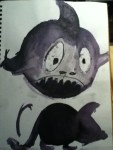
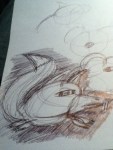
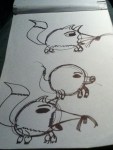
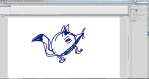
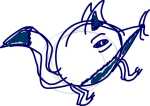
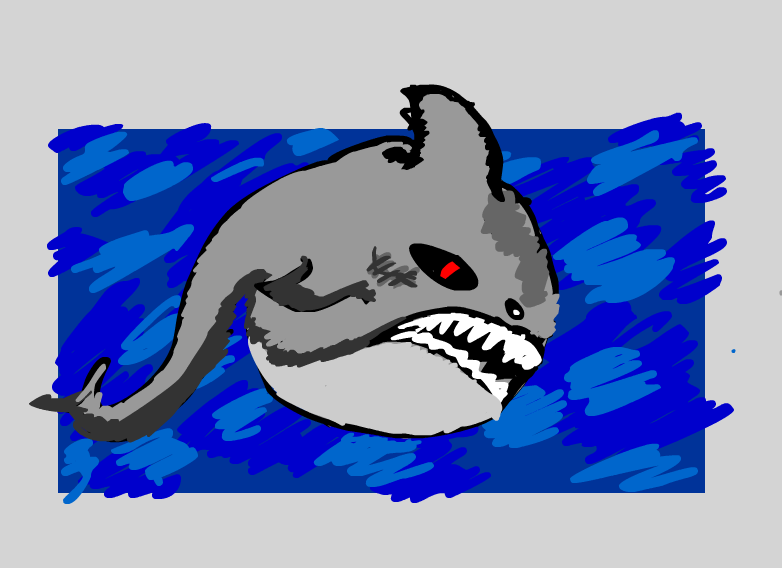
This post will be a two-part post. This is a continuation from the first Followthrough test from a few weeks back. I started off with some sketches of what my character may look like. I done some of my designs in my sketchbook and in Flash to see what the animal will look like below.
I decided to choose the shark, because I felt that the fin/tale would work well with the followthrough, and the shark doesn’t have legs so it would be an easy animation to drawn down and it would give an different edge to my animation.
Fifth week on my MA Character Animation course. This week was how to animated a pull or a push and I went for a pull animation this week. I started off with a subject to film, so I will have something to animate with later on.
Then, I jumped onto a light box and then use the Flipbook program on the mac, to drawn down the frames to test if the pull worked well and looked if it’s right.
Then I went back onto a light box and try another pull. Then gone onto Flipbook on the mac, to drawn down the key-frames to test if the pull worked well and placed right before I drawn down the in-between to complete the drawn drawing down.
I decided that to continue with the pull to add the in-between frames that were missing. And needed to drawn in as this animation below show.
Then I gone into Adobe Flash and try to do this exercise once again with the pull. I partly traced/Rotoscop the model who was in my first video above. I added colour to give it a abstract/loose fill.
Overall, I felt this exercise worked than the lift exercise in my opinion. Because, I easily understand how to animate a pull rather than how to do a lift in an animation. Overall better week. End of that exercise.
Second week on my MA Character Animation course. This week was how to Animate Bouncy Balls. Started off with balls falling of a table, such as ping-pong balls, bowling balls, beach balls, footballs and water balloons and so forth. Then recording a few examples with this video below.
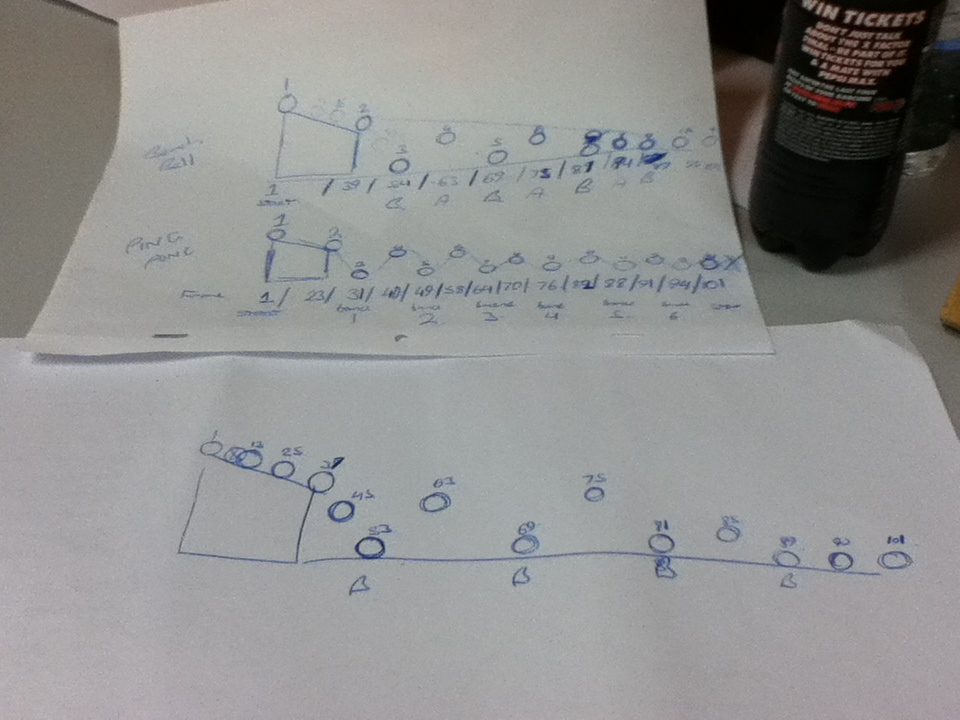
Then I roughly planned out were the bounces will hit with a ping-pong ball and a beach ball.
Then I jumped onto a light box and Flipbook on the mac, to drawn down the key-frames to test if the bounces worked well and placed right.
And then I decided to continue to animate either the ping-pong or the beach ball for my finished product of the bouncing ball. I decided that to continue with the beach ball to add the in-between frames that were missing. And needed to drawn in as this animation below show.
My feedback was the animation needed some frames to remove to flow better and a positive feedback was my timing for the bounces were right. End of that exercise.
Last year for my Final Major Project for Animation I created a two minute animation called ‘Donny and Pete’ (2011), were you have a smart cat called Pete with a dumb human who knows nothing called Donny.
Donny and Pete
If I could have put this in my research I would have I saw this last year on the Aniboom Youtube page called: ‘Max and Monkey- A Bromance Aniboom Animation’ and was created by Alex Fass (web-site).
Max and Monkey- A Bromance Aniboom Animation
Alex Fass stated on his own web-site that the “Max & Monkey” concept was created both for the production and the pitch of an adult humored, animated television series. Max is a not so intelligent person, while Monkey is the intelligent one out of the pair of them, possibly the same characteristics as my characters, I think Donny is more stupid than Max in my opinion.
Max & Monkey was created by using three programmes:Autodesk Maya, Adobe Illustrator and Adobe Photoshop. Also, using Cintiq, a graphic tablet you can draw into Illustrator and Photoshop instead of using a mouse.
My thoughts on the two animations. The first animation above have it’s own unique style with Maya, Illustrator and Photoshop altogether. The second animation below, if I didn’t know that the animation was created in Photoshop, Illustrator and Maya I think the animator was nearly copping my style with Donny and Pete. But, yet again I don’t believe his copping by style at all. But, personally the first animation has its own style more on its own compared to the second animation which was a bit more flat without the 3D style.
Anyway, great animations altogether.
Max and Monkey Ep. 2 – An Odd Couple Aniboom Animation by Alex Fass
Last year I entered myself in the Red Bull Canimation competition back in November 2011. I was influenced by the Red Bull Racing team and Sebastian Vettel recent glory for my animation.
Most recently, I have seen this is animation below, created by Animateer and Illustrator designer Ruf Blacklock.
The creator of the animation Ruf Blacklock, who is a big fan of Formula 1 himself, wanted to created an animation that shows the evolution of Formula 1 car from the last 62 years and has not been shown on any video streaming site until now. Each car is the winning chassis from the respective seasons, for examples the 1978 Lotus 79 and 1983 Brabham BT52 was drawn in. Even the evolution of the steering wheels from 1950s to the present day was included. Also, the animation was created in Adobe After Effects.
My thoughts on the animation overall, I felt that the animation worked really well throughout the 60 seconds. I felt the background music and sound effects worked really well. The sound effects were spot on with the noise of the formula one car of present. I felt the styling work well and using simple colours, reminds the styling of the Tron films. The big positive point I felt that the timing was right, if it was longer than 90 second I think it might not work. If it was 45 seconds it would have been too short for the animation, so a minute was spot on in my opinion. Is their any negative points, nothing I can really notice.
Overall, I enjoyed the animation altogether. Despite, I am a big Formula 1 fan myself.






 Jonathan Hurlock